

📦Release 2.143
- 19 Nov 2026
- Print
- DarkLight
- Download PDF
📦Release 2.143
- Updated on 19 Nov 2026
- Print
- DarkLight
- Download PDF
Article summary
Did you find this summary helpful?
Thank you for your feedback!
🌱 Eco-driving
💡 Dashboard indicators now explained
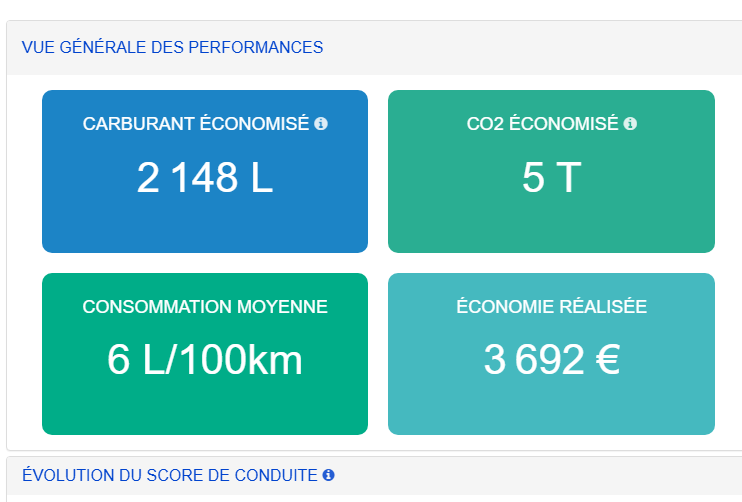
🚨 Before
The Fuel saved, CO2 saved and Driving score evolution indicators on the Eco-driving dashboard had no explanation of how they were calculated.
✅ Now
A ❓ icon next to each title shows a tooltip explaining the indicator:
Fuel saved: the fuel your drivers didn’t use thanks to smoother driving, compared to the vehicle’s theoretical consumption. Only trips by drivers in eco-driving are counted.
CO2 saved: the CO2 your vehicles didn’t emit thanks to eco-driving. It is proportional to the fuel saved over the period.
Driving score evolution: how the Eco Index is calculated. It is a score out of 100 that compares theoretical and actual consumption along each trip and adjusts for the frequency of driving events. Across several trips, it is weighted by distance.
🎯 What this means for you
You understand where the figures come from without leaving the screen, so you can read and share your eco-driving results with confidence.
🚗 Vehicle page
🔌 New “Plugged in” status for electric vehicles
🚨 Before
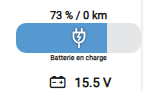
A vehicle that was plugged in but already fully charged was shown as “Charging”, with the charging animation.
✅ Now
Each situation has its own status:
⚡ Charging: charging animation
✅ Fully charged: gauge at 100%, shown in green
🔌 Plugged in: new dedicated icon
🎯 What this means for you
The status shown matches the real state of the vehicle, so you know at a glance which vehicles are actually charging.
🌡️ New “Temperature sensors” tab
Available on request.
🚨 Before
Temperature sensors and accessories were grouped together in the “Equipment” tab.
✅ Now
A new “Temperature sensors” tab is dedicated to sensors. It appears only for vehicles equipped with them. It lists each sensor’s reference, label, and minimum and maximum temperatures, and lets you delete a sensor or change the Bluetooth sensor pairing.
Accessories are now in the “Information” tab, below “Characteristics”.
All features work exactly as before.
🎯 What this means for you
The vehicle page is clearer. All vehicle information is in one place, and sensors have their own tab that appears only when it’s relevant.
Was this article helpful?